

Picking the right tool for your business can feel like choosing between two great meals when you are very hungry. Both CRM and marketing automation sound useful, but do you know which one will actually help you grow?
Key Takeaways:
- A CRM helps you manage your customers and sales pipelines. Marketing automation helps you send the right message to the right person at the right time. One is about people. The other is about campaigns.
- If your team tracks lead, follows up with customers, or closes deals, a CRM is not optional. It keeps everyone on the same page and stops leads from falling through the cracks.
- If you send hundreds of emails, run ad campaigns, or need to nurture cold leads over time, marketing automation does the heavy lifting. It runs in the background while your team sleeps.
- A CRM gives you clean data, clear customer records, and a working sales process. Without that, automation just makes a mess faster.
- A CRM tracks who your customer is. Marketing automation decides when and how to reach them. Together, they remove gaps across your entire customer journey.
In 2026, an all-in-one platform saves time and money. Juggling with two separate tools means more logins, more syncing, and more errors. Platforms like LionO360 CRM now offer built-in workflow automation so you can do both without switching between apps.
What Is a CRM, Really?
A CRM (Customer Relationship Management) tool is a smart notebook for your entire sales team. It stores every interaction you have had with a customer or prospect. Phone calls, emails, deals, support tickets, everything lives in one place.
Here is what a CRM usually helps you do:
- Track leads from the first touch to the final sale
- Manage your contact list so nothing gets lost
- Monitor where every deal stands in your pipeline
- Set reminders and follow-up tasks for your team
- Pull reports to see how your team is performing
- Store documents tied to each account
Think of it as a memory of your business. Without it, your team is guessing who to call next and when.
What Is Marketing Automation?
Marketing automation is software that sends messages and runs campaigns on your behalf, based on rules you set up. It does not replace your marketing team. It just removes the repetitive parts.
Here is what marketing automation typically handles:
- Sending welcome emails when someone signs up
- Running drip campaigns over days or weeks
- Scoring leads based on how they interact with your content
- Posting on social media at set times
- Retargeting people who visited your website
- Sending birthday or anniversary messages
It is powerful for reaching a big audience without burning out your team. But it needs good data to work well.
CRM vs. Marketing Automation: Side-by-Side Comparison
| Feature | CRM | Marketing Automation |
|---|---|---|
| Main Goal | Manage customer relationships | Run and automate campaigns |
| Best For | Sales teams, support teams | Marketing teams |
| Core Strength | Tracking deals and contacts | Sending messages at scale |
| Data Focus | Individual customer records | Audience segments and behavior |
| Works Best When | You have active sales conversations | You have a large lead database |
| Common Tools | LionO360 CRM | Mailchimp, Active Campaign, Marketo |
When Should You Pick a CRM?
Choose a CRM if any of these sound like you:
- Your sales team loses track of leads
- You do not know the last time someone followed up with a prospect
- Deals take a long time to close and you want to track the reasons
- Customer data is scattered across email, spreadsheets, and sticky notes
- You need reports on your team's performance
- You handle support tickets or customer requests
A CRM brings order to your sales process. It is the right starting point for most growing businesses.
When Should You Pick Marketing Automation?
Go for marketing automation if:
- You want to send emails to thousands of contacts at once
- You run regular campaigns like newsletters or promotions
- You want to score and rank leads based on their activity
- Your team spends too much time on repetitive outreach tasks
- You want to nurture cold leads until they are ready to buy
Marketing automation works best when you already have a solid list of contacts and a clear message for each stage of the buyer journey.
When You Need Both
Here is the truth: for most growing businesses, you will eventually need both tools. The question is just about timing.
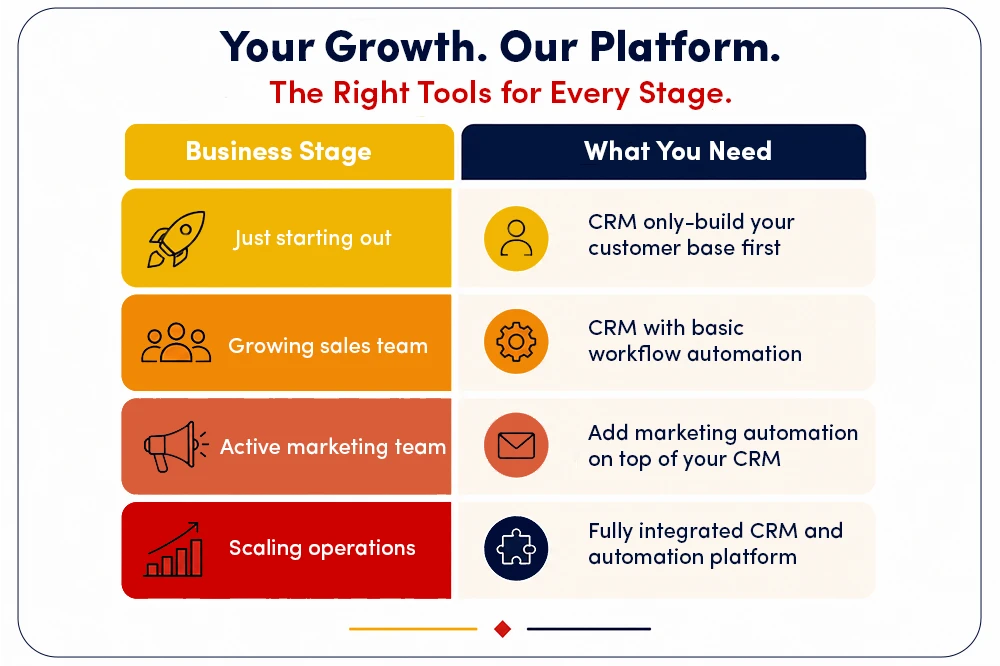
Many businesses make the mistake of buying marketing automation before their sales process is clean. That just creates more noise. Start with a CRM. Then layer in automation once you know your audience well.
Why Workflow Automation Inside a CRM Changes the Game
Here is where things get interesting. In 2026, the line between CRM and marketing automation is getting thinner. Platforms like LionO360 now come with built-in workflow automation that lives right inside your CRM.
This means you do not need two separate tools. You can:
- Set rules to auto-assign leads to the right sales rep
- Send follow-up emails when a deal has been stuck for too long
- Create tasks automatically when a new contact is added
- Trigger alerts when a customer submits a support ticket
- Use saved searches to build smart lists and automate actions based on them
This kind of built-in automation saves time without adding software costs or data sync headaches.
Meet LionO360 CRM: Your Smart Business Growth Tool

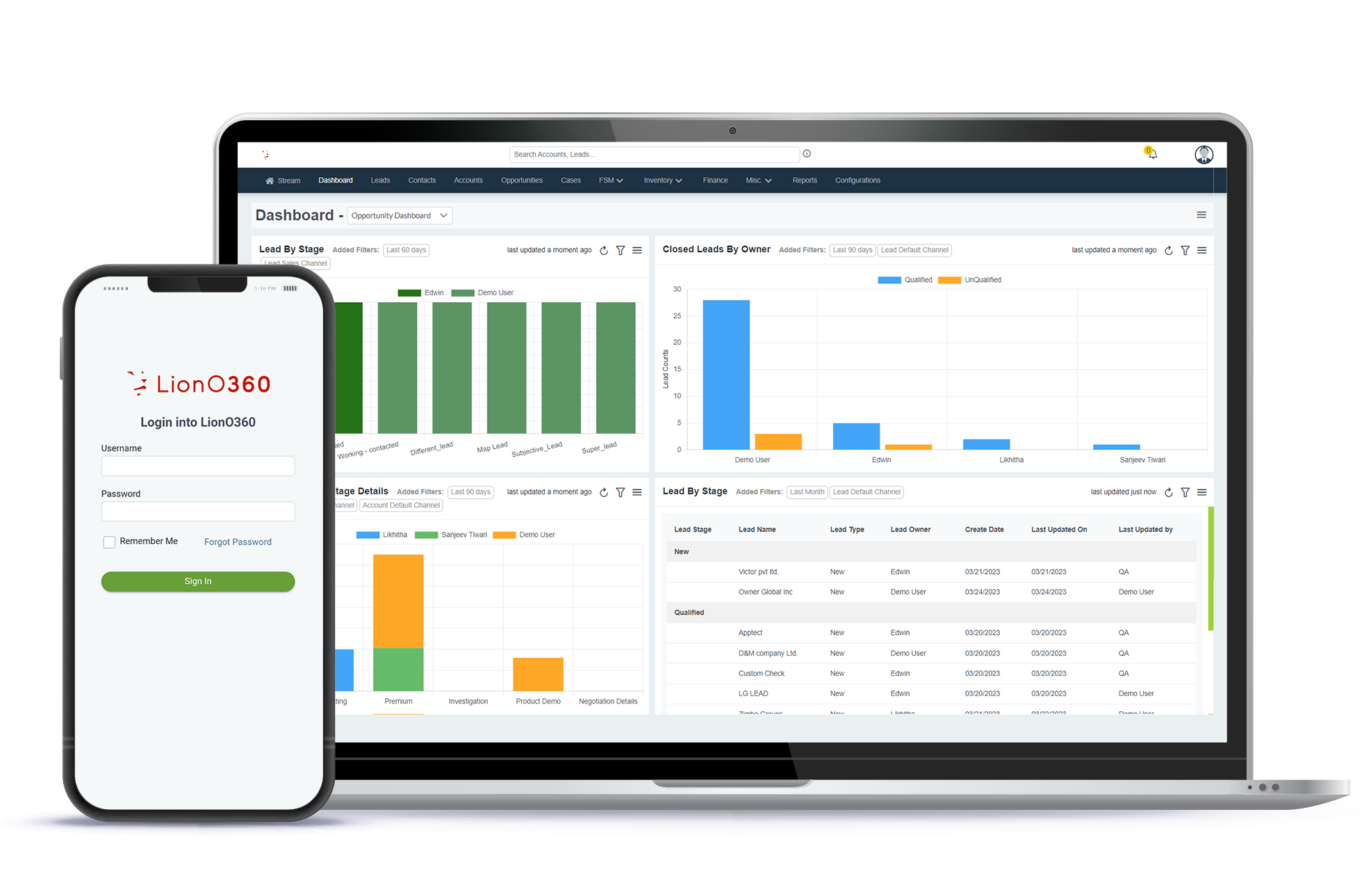
If you are looking for a CRM that does not just store data but actively helps your team move faster, LionO360 CRM is built for exactly that.
Here are some of the features that make it stand out:
Lead Management — Move leads through your pipeline with clear steps and zero confusion
Accounts and Contacts Management — Get a full view of every customer relationship in one place
Opportunity Management — Customize your sales funnels to match how your team sells
Workflow Automation — Set conditions, apply rules, and let the system do the repetitive work
Reports and Analytics — See real-time data on leads, opportunities, and team performance
Ticket and Case Management — Handle customer issues without missing a single request
WhatsApp Integration — Connect with customers directly through WhatsApp, right from your CRM
Sales Quota and Forecasting — Set targets by role or region and predict future revenue
Document Management — Store customer-related files securely at the account level
Workspace Management — Customize your dashboard to match your team's daily workflow
It is an all-in-one platform that removes the need to juggle multiple tools. You get your CRM, automation, and analytics in one clean interface. Book a free CRM demo and explore LionO360 CRM Features.
Related Blog: A Practical Guide to CRM Workflow Automation
Frequently Asked Questions
What is the main difference between a CRM and marketing automation?
A CRM focuses on managing customer relationships, tracking sales, and supporting your team in closing deals. Marketing automation focuses on sending messages, running campaigns, and nurturing leads at scale. A CRM is about people and conversations. Marketing automation is about reach and timing.
Do small businesses need marketing automation or a CRM?
Most small businesses should start with a CRM. It helps you organize your contacts, track your sales pipeline, and follow up with leads. Once your sales process is working well, you can add marketing automation to reach more people without adding to your workload.
Can a CRM replace marketing automation?
A basic CRM cannot replace full marketing automation, but many modern CRM platforms now include built-in workflow automation tools. LionO360 CRM, for example, lets you automate tasks, send follow-up actions, and manage workflows right inside the platform, which covers many common automation needs.
Which is better for lead nurturing: CRM or marketing automation?
Marketing automation is better for nurturing cold leads over a long period of time using emails, drips, and content. A CRM is better for nurturing warm leads that are already in active conversations with your sales team. For best results, use both together.
How does LionO360 CRM help with workflow automation?
LionO360 CRM includes a built-in workflow automation feature that lets you define rules manually or use saved searches to trigger actions automatically. You can auto-assign tasks, send alerts, update records, and remove repetitive steps from your team's daily work, all without needing a separate automation tool.