

Running a small business in 2026 is exciting, but it can also feel like juggling ten things at once. The right ERP system can make everything a lot simpler, but only if you pick one that fits what you actually need.
Key Takeaways:
- Not every ERP feature is useful for small businesses. Focus on what solves your real problems.
- Look for an ERP with inventory, finance, sales, and HR tools all in one place.
- Cloud-based ERP systems are more affordable and easier to manage for small teams.
- Good ERP software grows with your business, so you do not have to switch later.
- Integration with tools you already use saves time and reduces errors.
- A clean and simple dashboard makes your team more likely to actually use the system.
What Is ERP and Why Does It Matter for Small Businesses?
ERP stands for Enterprise Resource Planning. It sounds like a big, fancy term, but the idea is simple. An ERP system brings all your business tools into one place. Instead of using five different apps for accounting, inventory, sales, and HR, you have everything in one dashboard.
For small businesses, this is a game-changer. You save time, reduce mistakes, and always know what is going on across your entire operation. In 2026, small business ERP solutions are more affordable and more powerful than ever before. But the challenge is knowing which features you actually need versus the ones that just sound impressive.
Core ERP Features Every Small Business Actually Needs
1. Financial Management
This is the heart of any ERP system. You need tools that handle invoices, track expenses, manage cash flow, and generate reports. Good financial management in your ERP means you can see your numbers any time without waiting for your accountant to pull a report.
Look for features like automated billing, tax calculation support, and profit and loss tracking. These basics will save you hours every single week.
2. Inventory and Order Management
If your business sells products, you need inventory tracking built into your ERP. You want to know what is in stock, what is running low, and what has been ordered. The best ERP systems for small businesses in 2026 update this in real time.
Order management ties into this directly. When a customer places an order, your inventory should update automatically, and your team should be able to see the status without making phone calls or sending emails back and forth.
3. CRM Integration or Built-in CRM
Your ERP should connect with your customer relationship tools. Whether it is a built-in CRM or an integration with popular tools, you want customer data, sales history, and communication logs all in one place. This helps your sales team close more deals and keeps your customer service sharp.
4. Reporting and Dashboards
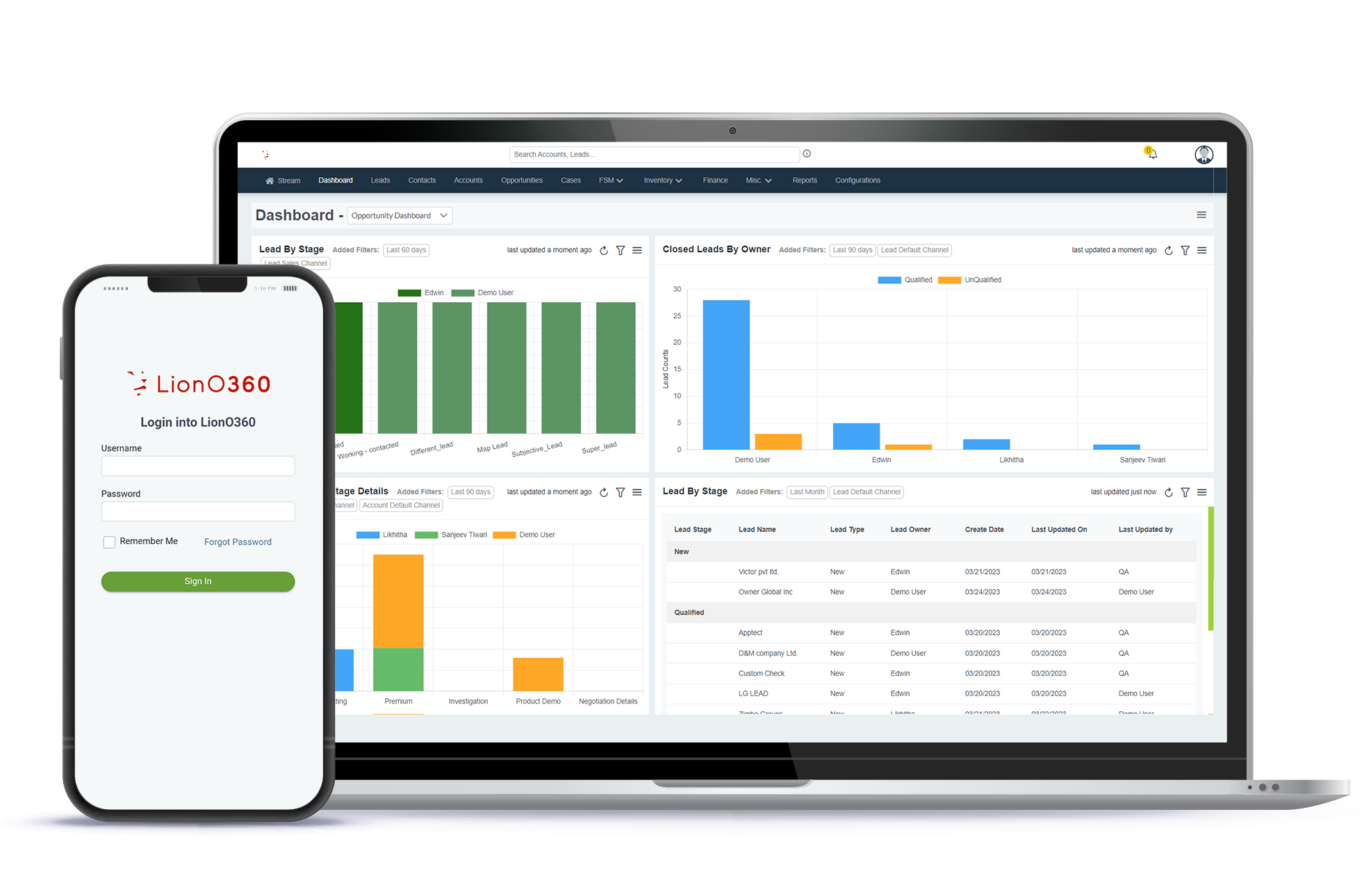
You cannot improve what you cannot measure. Your ERP should give you clear, visual reports on sales, expenses, inventory, and more. Dashboards that update in real time mean you always have a clear picture of your business health without digging through spreadsheets.
ERP Features Comparison: Small Business vs Enterprise
| Feature | Small Business Need | Enterprise Need |
|---|---|---|
| Financial Management | Basic invoicing, expense tracking, tax support | Multi-currency, complex consolidation, compliance |
| Inventory Management | Real-time stock tracking, low-stock alerts | Multi-warehouse, demand forecasting, automation |
| CRM | Contact management, deal tracking | Advanced pipeline, AI scoring, custom workflows |
| HR and Payroll | Employee records, basic payroll | Global HR, benefits, workforce planning |
| Reporting | Visual dashboards, standard reports | Custom analytics, predictive reports, BI tools |
| Scalability | Grows with a small team | Handles thousands of users across regions |
Cloud ERP vs On-Premise: What Makes Sense for Small Teams?
In 2026, cloud-based ERP is almost always the better choice for small businesses. Here is why:
- Lower upfront cost since you pay a monthly subscription instead of buying servers
- Automatic updates so you always have the latest features without extra work
- Access from anywhere, which is important if your team works remotely or on the go
- Easier to scale up or down based on your actual needs
- Less IT support needed since the vendor handles the technical side
On-premise ERP still makes sense for businesses in highly regulated industries with strict data rules, but for most small businesses, cloud ERP is faster, cheaper, and easier to manage.
What to Avoid When Choosing ERP Software
Many small business owners make the mistake of choosing an ERP based on a long list of features rather than actual needs. Here are some common traps to watch out for:
- Paying for modules you will never use just because they come bundled in a package
- Choosing a system that is too complex for your team to learn and adopt
- Ignoring integration options and ending up with a system that does not connect with your existing tools
- Picking a vendor with poor customer support, since you will need help at some point
- Skipping a free trial and committing before you have tested the system yourself
LionO360 ERP: Built for Small and Growing Businesses
If you are looking for ERP software that actually fits a small business budget and workflow, LionO360 is worth a serious look. LionO360 brings together ERP, CRM, and field service tools in a single, easy-to-use platform designed with growing businesses in mind.
With LionO360 ERP, you get financial management, inventory tracking, sales automation, and HR tools all in one place. The dashboard is clean and simple, so your team can get up to speed fast without weeks of training. The system also grows with you, meaning you are not going to outgrow it six months after you start using it.
What makes LionO360 stand out is how well everything connects. Your sales team, your inventory, your finance reports, and your field workers all work from the same data. That means fewer mistakes, better decisions, and more time to focus on actual business growth. Learn more at lionobytes.com.
Frequently Asked Questions
1. What ERP features does a small business actually need in 2026?
The most important ERP features for small businesses are financial management, inventory tracking, CRM integration, HR and payroll, and reporting dashboards. Focus on these before adding anything else.
2. Is cloud ERP better than on-premise for small businesses?
Yes, for most small businesses, cloud ERP is the better option. It costs less upfront, requires no IT team, and lets you access your data from anywhere.
3. Can ERP software replace separate accounting and inventory tools?
Yes, a good ERP system combines accounting, inventory, HR, and sales tools into one platform, which removes the need for multiple separate apps.
4. How long does it take to set up ERP for a small business?
Cloud-based ERP systems can often be set up within a few days to a few weeks, depending on the complexity of your business and how much data needs to be migrated.