

Choosing the right CRM for your small business is a major decision. A CRM is more than just a simple tool; it acts as the main hub for your sales, marketing, and customer service teams. This is why seeing a CRM demo is so important.
A professional demo shows you exactly how the system handles real-time tasks. It helps you decide if the software matches the way you work every day, ensuring you avoid expensive mistakes later.
In this guide, we will cover what to watch for during a demo, the common errors to avoid, and how to pick the best system for your company's future.
Why the Right CRM Matters for Your Success
Choosing the right CRM changes how you handle new leads, talk to customers, and close sales. If a system is slow or hard to understand, people won’t want to use it. When that happens, important information gets lost, and sales are missed.
The best business CRM should make your work easier. It helps your team save time, fix mistakes, and build better friendships with customers. Making a smart choice today helps your business grow much bigger tomorrow.
The Importance of a CRM Demo
A CRM demo is your chance to test the software before you decide to buy it. Think of it as more than just a talk; it is a real look at how you will work in the future.
During your demo, see if CRM is:
- Ease of Use: Is it simple to navigate?
- Managing Leads: Can you add new leads quickly?
- Reporting: Is it easy to see your progress?
- Automation: Does the system handle small & repetitive tasks for you?
Common Mistakes to Avoid During a CRM Demo
Many businesses make simple mistakes when watching a CRM demo. To make the best choice, keep these points in mind:
- Focusing Only on Price: A low price doesn't always mean a good deal. If a cheap system is slow and frustrates your team, it will actually cost you more money over time.
- Ignoring How Easy It Is to Use: If a system feels too complicated, your team simply won't use it. Even the best features are useless if they are hard to find or understand.
- Leaving Out the Daily Users: Often, only managers attend these meetings. However, the sales and support teams are the ones using the tools every day. Their opinions are essential for making the right choice.
By avoiding these mistakes, you can make a much smarter decision for your company’s future.
Top CRM Features to Look for During Your CRM Demo
When you are looking at the best CRM features, you should focus on what your business really needs. Here is a simple guide on what to check:
- Managing Contacts and Leads: See how easy it is to collect and organize new leads. A good system keeps every conversation in one spot so you can see the full story of each customer.
- Tracking Sales: Watch how every deal moves from the very beginning to the final step. You can quickly see if a sale gets stuck in one spot. Having a clear, visual map helps your team stay organized and focused on their goals.
- Automation: Check how the system handles small, repetitive chores for you. It should send out reminders and follow-up notes automatically. This way, your team does not have to do every little task by hand, leaving them more time for important work.
- Simple Progress Reports: Reports should be very easy to read. You need to see how your team is doing and where your customers are coming from. Good information helps you make smarter choices.
- Connecting with Other Tools: Your CRM should connect with email, marketing tools, and other business software. This prevents you from having to type the same thing twice and keeps your work organized.
- Mobile Access: Sometimes your team is away from their desks. Make sure the system works smoothly on phones and tablets so work can happen anywhere.
Evaluating these features carefully will help you find the most professional tool for your team.
How to Compare Different CRM Demos
If you are looking at several options, it is helpful to use the same checklist for each one. Make sure to ask the same questions and test the same features every time.
- Ease of use: Is it simple to learn?
- Customization: Can you change it to fit your needs?
- Speed: Does it work quickly?
- Support: Is there a team ready to help you?
The best CRM system for a small business will feel natural and easy to navigate from the very first moment.
Why Choose LionO360 CRM by LionOBytes
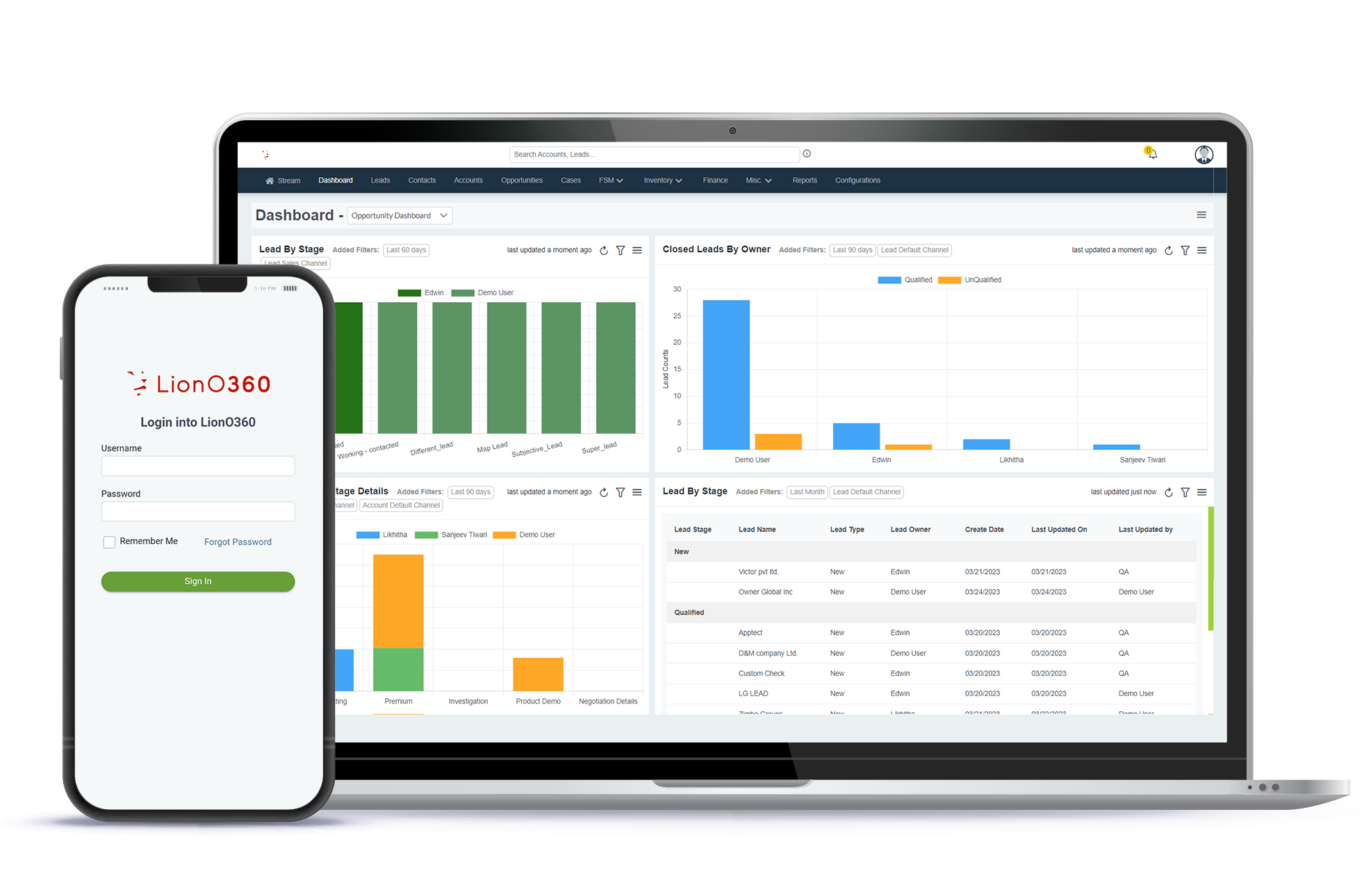
During a LionO360 CRM demo, you will see how everything works together in one place. This system is built to make selling easier, improve how you add your new leads, manage their data, and help your team get more done.
It provides strong tools for managing leads, automating tasks, and creating reports. It is easy to understand, user-friendly, and ready for growing businesses like yours. If you are searching for the right professional tool, LionO360 CRM helps you make your final choice with total confidence.
Frequently Asked Questions
1. What is the purpose of a CRM demo?
A CRM demo lets you know how the system works. It helps you see if the features are easy to use and if the software is the right fit for your team before you buy it.
2. How long does a demo usually take?
A good session typically lasts between 30 and 60 minutes.
3. Can I get a demo made just for my business?
Yes. Most experts, like the team at LionOBytes, can show you a customized version of the software. This helps you see exactly how the tools will help with your specific work.