
In the fast world of 2026, staying in touch with customers is more important than ever. Most people do not want to wait for an email reply. They do not want to stay on hold during a phone call. They want to talk to businesses the same way they talk to their friends. This is why WhatsApp CRM has become the most important tool for any company today.
If you want your business to stay ahead, you need to meet your customers where they spend their time. That place is WhatsApp. In this guide, we will explain everything you need to know about using WhatsApp with the CRM system in simple words.
What is WhatsApp CRM?
CRM stands for Customer Relationship Management. It is a tool that helps you keep track of everyone who talks about your business. When you add WhatsApp to this tool, magic happens.
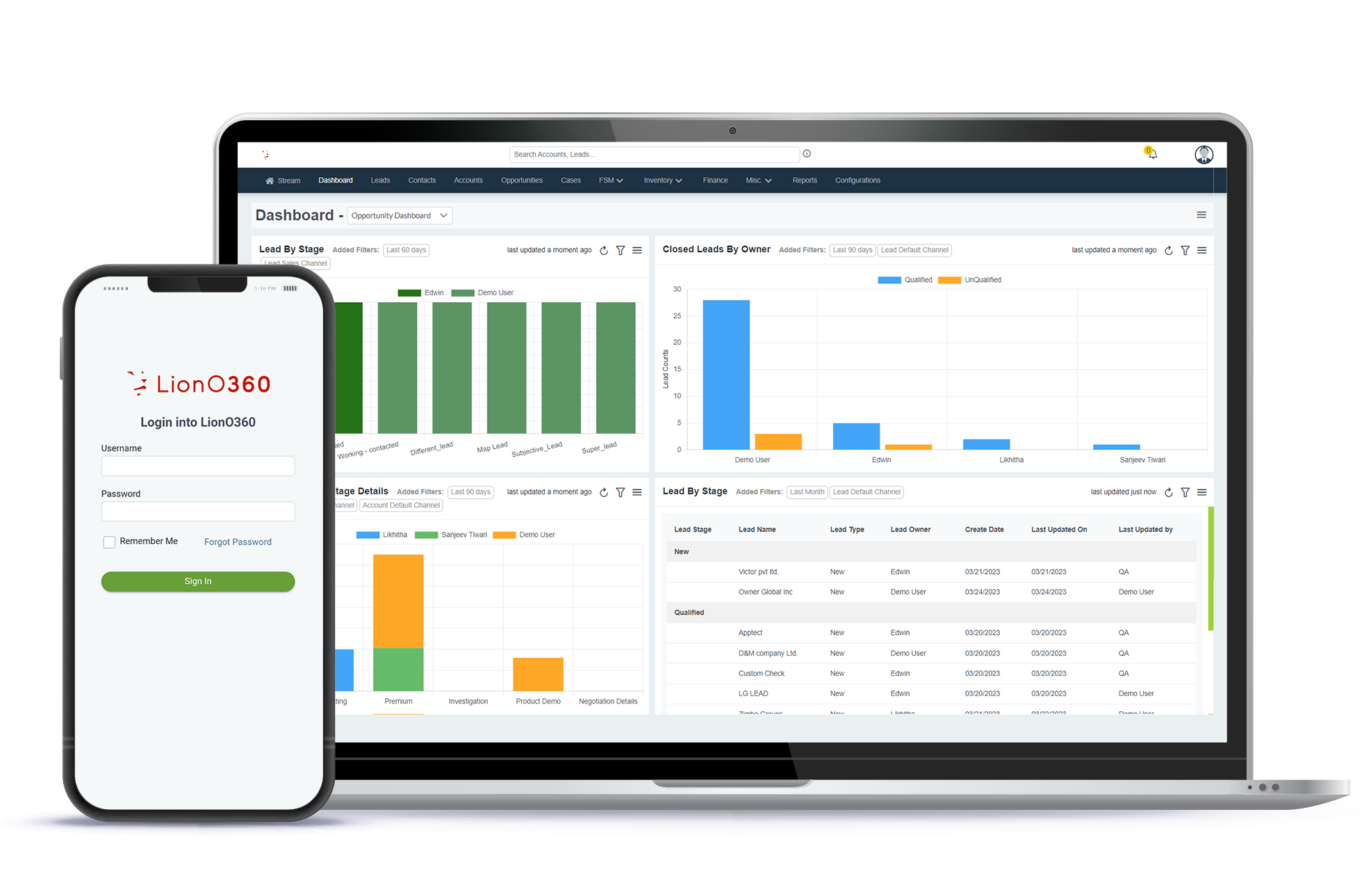
Instead of having messages trapped on a single phone, all your chats are stored in a single central system. Your whole team can see them. You can save notes about each person. You can see what they bought before. It makes your business feel more organized and professional.
Why is WhatsApp CRM Important in 2026?
By 2026, almost every person with a smartphone will use WhatsApp daily. It is no longer just for sending photos to family. It is now a place for shopping and getting help. Here is why your business needs CRM for WhatsApp:
- People Love Speed: Customers expect a reply in minutes. WhatsApp is built for fast chatting.
- Trust: People feel safer chatting on an app they already know and trust.
- High Open Rates: Most people open a WhatsApp message within seconds. Emails often end up in spam or get ignored.
- Better Records: You never lose a lead. Every chat is saved in your CRM.
Great Features of CRM for WhatsApp
1. Fast Replies with Automation
You cannot be online all day and night. But your customers might shop at midnight. With a CRM for WhatsApp, you can set up a bot. The bot can say hello or answer simple questions about your prices. This keeps the customer happy until a real person can talk to them.
2. Organized Chats
If you get one hundred messages a day, it is hard to know who a new lead is and who is an old customer. A CRM like LionO360 labels these chats. You can see at a glance who needs help first.
3. Team-Work
One person cannot handle thousands of chats. With a CRM, your sales team and your support team can all log in. They can see the same chat history. This means the customer does not have to repeat their story every time they talk to someone new.
4. Broadcast Messages
In 2026, emails often go to the spam folder. But WhatsApp messages get read almost instantly. You can send a message about a big sale to all your customers at once. This is a great way to bring people back to your website.
How to Use WhatsApp CRM to Increase Sales
Selling on WhatsApp is easy if you follow a simple plan. First, make sure you have a "Chat with us" button on your website. When a customer clicks it, their information is sent straight to your CRM.
Once they are in your system, you can send them helpful tips or reminders. For example, if a customer looks at a pair of shoes but does not buy them, you can send a friendly WhatsApp message with a small discount code. This personal touch often turns a "maybe" into a "yes."
Keeping Your Data Safe
Privacy is a big deal in 2026. WhatsApp is famous for being secure. When you use a professional CRM integration, you keep that secure. It is much safer than using a personal phone for business. You can control who sees customer data and keeps everything backed up in the cloud.
Integrating CRM with WhatsApp
Step 1: Choose the Right Provider
Start by selecting a trusted WhatsApp solution provider. Look for a provider that is officially approved by Meta. This ensures your integration is stable, secure, and follows all rules.
Step 2: Connect WhatsApp API with Your CRM
This is the core step. You need to connect your CRM with WhatsApp Business API.
Step 3: Sync Customer Data in Real Time
Your team can track conversations, view purchase history, and manage leads from one place.
Step 4: Follow-up reminders
Chatbots can handle basic queries, while your team focuses on important conversations. This improves customer experience and increases conversions.
Step 5: Enable Advanced Features
- Broadcast messages for campaigns
- Personalized offers based on customer data
- Analytics track performance
- Interactive messages like buttons and forms
Step 6: Train Your Team
Train your team to respond quickly, handle queries, and maintain a friendly tone.
Step 7: Track and Improve
Monitor response time, customer satisfaction, and conversion rates.
Things to Avoid
- Do not spam
- Keep messages short and polite
- Use emojis carefully
- Give users an option to opt out
LionO360 + WhatsApp: One Platform. Endless Conversations
If you are looking for the best way to start, check out LionO360. At LionOBytes, we offer a powerful CRM that makes WhatsApp easy.
Our system brings all your customer data into one place. You can manage your sales, your support, and your WhatsApp chats without jumping between apps. It is designed to be simple, so you do not need to be a tech expert to use it. With LionO360, you can deliver the fast, friendly service your customers expect in 2026.
For more information on how to grow your business with smart tools, book your free CRM demo today.
Frequently Asked Questions
What is WhatsApp CRM?
WhatsApp CRM is an integration between the WhatsApp Business and your business CRM. So, your team can access all the conversations, profiles, and event flow in one place.
How to Integrate CRM with WhatsApp?
You can integrate CRM with WhatsApp by:
- Obtaining WhatsApp Business API.
- Choosing an Integration Method.
- Configuring Automation & Workflows.
Is it hard to connect WhatsApp to my CRM?
No. Most modern systems use an API to connect. This sounds technical, but your CRM provider usually handles the hard parts for you.
Can multiple people use the same WhatsApp number for my business?
Yes. When you use a CRM like LionO360, your whole team can log in and respond to messages using one single business number. But you cannot create multiple contacts using a single number.
Is WhatsApp CRM expensive for small businesses?
There are many options available. Most businesses find that the extra sales they generate are faster on WhatsApp than offset the cost of the CRM.