
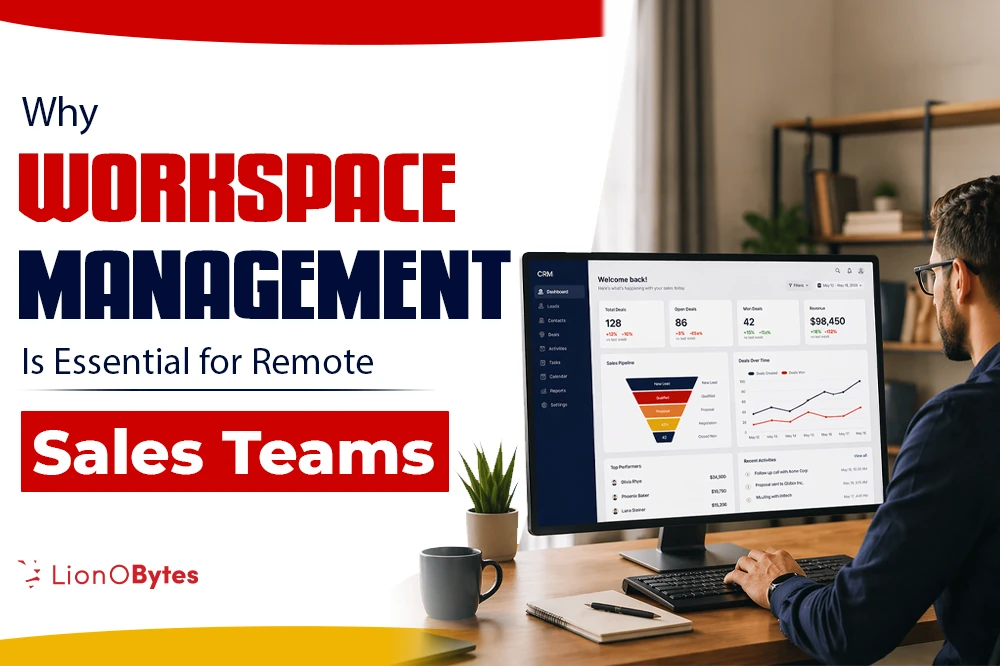
Remote sales teams are growing fast, and so are the challenges that come with them. If your team works from different cities, different time zones, or even different countries, you know how hard it is to keep everyone on the same page, and that is exactly where workspace management becomes your best friend.
Key Takeaways
Before we get into the full picture, here is a quick look at what you will learn in this blog:
- Without a shared workspace, managers and reps often have no idea what is happening across the team.
- Workspace management gives every team member one place to track tasks, deals, and goals.
- When your data is clean and easy to read, your team can act faster and smarter.
- With the right tools, remote teams can work together just as well as in-person ones.
- Drag-and-drop boards, table views, and smart filters save hours of repetitive data entry.
- LionO360 CRM makes workspace management built for sales teams who need flexibility, speed, and real-time visibility.
The Remote Sales Reality: What Has Changed
Not too long ago, a sales manager could walk across the office floor and know exactly what was going on. They could see who was on a call, who was working on a hot lead, and who was stuck. That walk across the floor is gone now.
Today, remote sales teams operate from kitchen tables, home offices, and coffee shops. They are spread out. They work different hours. And they use dozens of tools to stay connected. While this setup offers a lot of freedom, it also creates a very common problem: things fall through the cracks.
Leads get forgotten. Follow-ups are delayed. Deals stall because no one knows who is responsible for the next step. And managers have no easy way to see what is actually happening across the team.
This is not a people's problem. It is a systems problem. And workspace management is the solution.
What Is Workspace Management and Why Does It Matter for Remote Sales?
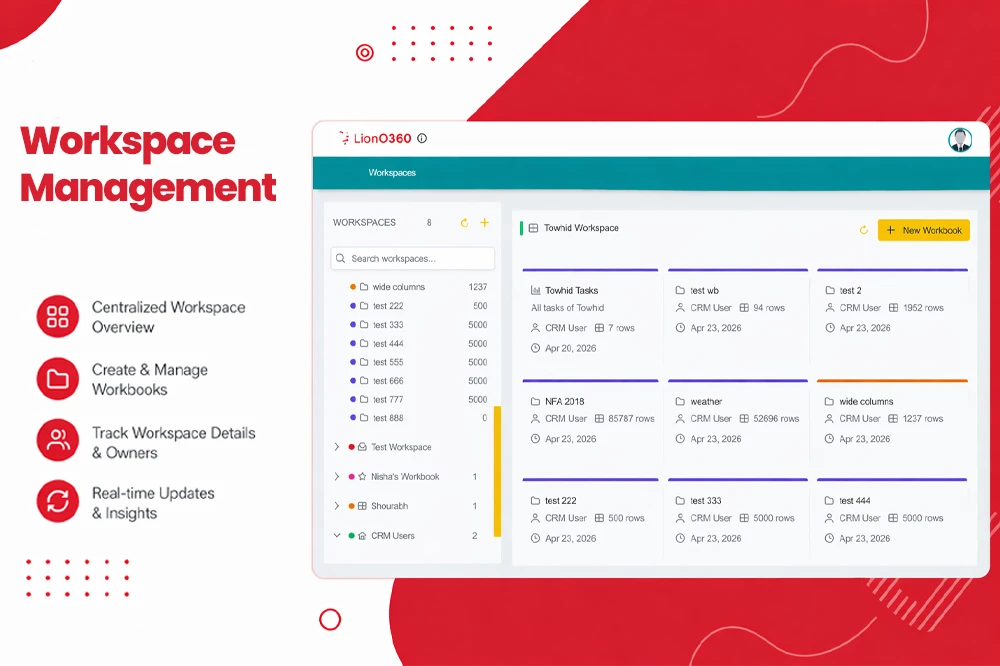
Workspace management in a CRM is the ability to organize, view, and act on your sales data from a single central place. Think of it as a digital workspace where your entire team can see what needs to be done, who is doing it, and how things are going, without sending a single email to ask.
For remote sales teams, this matters a lot. Here is why:
There is no shared physical space. So, your digital workspace becomes your office. If it is messy, your team is messy.
Everyone works in silos by default. Without a unified workspace, each rep manages their own tasks in their own way. This leads to inconsistency and misses opportunities.
Managers need visibility without micromanage. A good workspace gives leaders a live view of the pipeline without having to check in with every rep.
When done right, workspace management turns a scattered group of remote reps into one focused, organized, and high-performing team.
The Real Cost of Poor Workspace Management
Let us be honest. Most remote sales teams do not fail because of bad products or bad markets. They fail because of poor organization. Here is what that looks like day to day:
| Problem | What It Looks Like | The Cost |
|---|---|---|
| No central task view | Reps work from personal to-do lists or spreadsheets | Missed follow-ups, lost deals |
| Duplicate data entry | Same info is typed into multiple tools | Wasted time, human errors |
| Lack of visibility | Managers guess rather than know | Bad decisions, poor coaching |
| Slow team updates | Status updates happen over Slack or email | Information delays, confusion |
| No workflow structure | Each rep does things their own way | Inconsistent results |
These problems add up. Studies show that sales reps spend less than 40% of their time actually selling. The rest goes to admin work, record updates, and information searches. Workspace management tools are designed to flip that ratio.
Better Visibility Means Better Decisions
One of the biggest benefits of workspace management for remote sales teams is visibility. When everyone can see the same data in the same format, good decisions happen naturally.
- A sales manager can view a board and instantly see which deals are stalled, which are moving quickly, and where the bottlenecks are.
- A rep can open their workspace in the morning and see exactly what they need to do that day; no guessing, no digging through emails.
- A team leader can check goal progress across the whole team in real time, without scheduling a status call.
This kind of clarity is hard to get when your data lives in five different spreadsheets. But with a well-designed CRM workspace, it becomes the norm.
What strong workspace visibility includes:
- A table view for detailed, row-by-row data management.
- A visual board view (like a kanban board) where you can drag and drop deals. from one stage to the next.
- Filters and sorting options that let you find exactly what you need in seconds.
- Real-time updates, so everyone sees the same data at the same time.
When your team has this kind of visibility, they spend less time looking for information and more time using it.
Collaboration Without a Conference Room
Remote sales teams often struggle with collaboration. It is not because people do not want to work together. It is because the tools they use do not make it easy.
Workspace management changes that. Here is how:
Shared workbooks and worksheets: Instead of emailing spreadsheets back and forth, your team works inside a shared workspace where everyone sees the same data. No version of confusion. No "which file is the latest one?"
Drag-and-drop task updates: Moving a deal from "In Progress" to "Closed Won" is as easy as dragging a card across a board. This keeps the workspace clean and motivates reps to update their records.
Custom columns and layouts: Every sales team is different. Workspace management tools let you organize columns and views in a way that fits how your team works; not how some generic template says you should work.
Converting data into action: This is a big one. Good workspace tools let you take worksheet entries and turn them into real CRM records like contacts, leads, or opportunities; without having to re-enter any information. This saves time and eliminates errors.
The result? A team that collaborates naturally, without ever needing to be in the same room.
Workspace Management Reduces Manual Work
Let us talk about one of the most painful parts of remote sales: manual work. Updating records. Copying data between tools. Writing the same notes in three different places is really tough. It is exhausting, and it takes time away from actual selling.
Workspace management tools are built to reduce this work. Here is a simple look at how:
| Task | Without Workspace Management | With Workspace Management |
|---|---|---|
| Updating a deal stage | Open CRM, find record, update field, save | Drag card to new column on board view |
| Tracking team goals | Pull a weekly report, share over email | View progress in real time on shared workspace |
| Moving data between systems | Copy, paste, verify manually | Convert rows to CRM records with one click |
| Sorting deals by status | Filter in spreadsheet, re-sort manually | Use built-in smart filters in seconds |
| Reviewing team performance | Schedule a call or email a report | Check dashboards anytime |
Goal Tracking and Accountability Without the Pressure
One thing remote manager often worry about is accountability. How do you know if your reps are on track? How do you give feedback without sounding like you are constantly watching over their shoulders?
Workspace management solves this in a clean, non-invasive way.
Here is what good goal tracking looks like inside a workspace tool:
- Each rep has a clear view of their individual goals and how they are progressing.
- Managers can see team-wide progress without having to ask each rep individually.
- Milestones are tracked inside the same workspace where the work is being done, so there is no separate reporting step.
- When something is off track, it is visible early; before it becomes a big problem.
This kind of transparent, built-in accountability is healthier for everyone. Reps know exactly where they stand. Managers can coach based on real data. And the team as a whole can see how their individual efforts add to shared results.
Benefits of goal tracking in a workspace:
- Keeps every rep focused on the right priorities
- Reduces the need for daily check-in calls
- Makes performance reviews easier and fairer
- Builds trust between managers and reps
Flexibility: The Feature Every Remote Team Needs
Remote sales teams do not work the same way. Some teams are very process driven. Others are more fluid. Some reps love detailed data tables. Others think better with visual boards.
Good workspace management tools give you both and let you switch between them as needed.
This flexibility is not just nice to have. It is essential. Here is why:
- Different tasks call for different views. When you are conducting a deep data review, a table view provides precision. When you are running a quick team standup, a visual board is much easier to talk through.
- Teams evolve. As your team grows and your sales process changes, your workspace should be able to change with you, without having to rebuild everything from scratch.
- Reps have different working styles. Giving your team the freedom to view their work, however, makes sense to them leads to higher adoption, which in turn improves data quality for everyone.
The best workspace management tools are built around this kind of adaptability. They do not force you into one rigid structure. They give you the building blocks and let you put them together in a way that works for your team.
LionO360 CRM for Workspace Management

If you are looking for a CRM that takes workspace management seriously, LionO360 CRM by LionOBytes is built exactly for teams like yours.
LionO360 launched its Workspace Management feature to give sales teams, (especially remote ones) a smarter way to organize, visualize, and act on their CRM data. Here is what makes it stand out:
Custom Workbooks and Worksheets
You can create custom workbooks and worksheets inside LionO360 to organize your data exactly the way your team needs. Think of it like a super-powered spreadsheet that lives inside your CRM; fully connected to your real sales data.
Table View and Visual Board View
Switch between a clean table layout and a visual kanban-style board with just one click. Need precision? Use the table. Need a big picture view of your pipeline? Switch to the board. Both are available, always.
Drag-and-Drop Updates
Move cards across board columns to update deal stages, task statuses, or any grouped value; instantly, without typing a thing. It is fast, visual, and satisfying.
Smart Filters and Navigation
A visual, step-by-step filter system makes it easy to find exactly what you need even when you are working with hundreds of records. No more scrolling through long lists hoping to spot the right deal.
Row Operations
Move, Copy, and Duplicate Move rows across workbooks, copy data to new sheets, or duplicate rows for repeat tasks. LionO360 handles field mapping automatically, so your data always ends up in the right place.
Convert Worksheet Entries into CRM Records
This is one of the most powerful features. When your team is working inside a worksheet and creates a new entry — say, a new lead or a new opportunity — you can turn that entry into a real CRM record without any manual re-entry. It saves time and keeps your data clean.
Built for Remote Sales Teams
LionO360 is cloud-based, so your team can access it from anywhere — their laptop, tablet, or phone. Everyone sees the same data in real time, no matter where they are.
Whether your team is five people or fifty, LionO360's workspace management features give you the structure, flexibility, and visibility you need to run a successful remote sales operation.
Ready to see it in action? Visit LionO360 Workspace Management and schedule a free demo today.
Frequently Asked Questions
What is workspace management in a CRM?
Workspace management in a CRM is a set of tools that let you organize, view, and manage your sales data in one central place. It typically includes features such as table views, visual boards, custom columns, smart filters, and the ability to track team goals and workflows.
Why do remote sales teams need workspace management tools?
Remote sales teams lack a shared physical space, which makes it hard to stay organized and aligned. Workspace management tools act as a virtual office — giving every team member a clear view of their tasks, deal stages, and goals, while giving managers the visibility they need to coach and lead effectively.
How does workspace management help increase sales productivity?
By reducing the time reps spend on manual data entry, information searches, and switching between tools, workspace management frees up more time for actual selling. Features such as drag-and-drop updates, smart filters, and automatic data conversion significantly reduce repetitive administrative work.
Can I use LionO360 CRM's workspace management for a small sales team?
Yes. The LionO360 CRM is designed to work for both small and growing teams. Its workspace management feature is flexible enough to scale with your business — whether you are a team of 3 or 30. You can start simple and add more structure as your team grows.
What is the difference between a table view and a board view in workspace management?
A table view shows your data in rows and columns, like a spreadsheet; a great for detailed data review, sorting, and filtering. A board view shows data as cards grouped into columns, like a kanban board that is great for visualizing pipeline stages, tracking progress briefly, and making quick updates by dragging cards. LionO360 CRM lets you switch between both views based on what you need.