
Imagine you’re about to buy a car. You wouldn’t purchase after just reading the brochure, right? You’d take it for a test drive. You’d want to feel how it handles, how comfortable it is, and whether it fits your lifestyle.
Now, think the same things with a CRM system. Same as above, a CRM demo give you firsthand experience before making one of the most vital investments for your business. It is your opportunity to see beyond fancy descriptions and colorful promises. It is your chance to find out if the tool you’re considering can truly handle your business needs, your data, and your team’s workflow.
Buying a CRM is about transforming how your company manages relationships, sales, and service. A demo is the bridge between assumption and reality.
With this blog post, let’s explore why a CRM demo is not just another checkbox in the buying process, but the most essential step before you commit.
What is the CRM Demo?
A CRM demo is a guided or self-paced walk-through of the system you’re considering. It’s designed to show how the software functions in real scenarios, how you’ll use it to store data, manage leads, handle customer service, and collaborate across teams.
During the demo, you get to explore how intuitive the interface is, how flexible the features are, and how well the system adapts to your specific processes. It is the closest thing to experiencing what your day-to-day life will look like once the CRM becomes part of your business.
Think of it as a preview of your future operations. The demo helps you visualize workflows, identify gaps, and confirm whether the CRM can actually deliver what it promises.
Why You Should Never Skip the Demo
Skipping the CRM demo is like buying a house without stepping inside. The pictures might look perfect, but you don’t know how it feels until you walk through the door. Here’s why that step is non-negotiable.
1. You See How the CRM Fits Your Business
A CRM demo allows you to test whether the CRM can adapt to your way of working instead of forcing you to adjust to its limitations.
During the demo session, you can see how leads can managed, how deals are tracked, and how data is visualized. This gives you a real sense of compatibility.
2. It Helps You Identify the Learning Curve
Some CRMs are sleek and simple. Others are powerful but complex. A demo shows you where your team might need training and how long it might take to get comfortable with the system.
If your sales or support teams find the interface confusing during the demo, imagine how that frustration will multiply once the system is fully implemented. On the other hand, if they feel confident and at ease, that’s a strong signal that the CRM aligns well with your team’s comfort level.
3. You Get to Evaluate Real Functionality
A CRM’s list of features may sound impressive, but the true value lies in how those features work together. A demo lets you test those interactions in real time.
Can you easily move from capturing a lead to tracking a deal? Is customer information easily accessible during support calls? Are reports intuitive or do they require multiple steps? You’ll only find out during the demo.
What you see in the demo often reveals whether the CRM was built for convenience or just for show.
4. It Clarifies Customization Possibilities
Every organization has its own definitions of leads, deals, and customer touchpoints. During a CRM demo, you can explore how flexible the platform is in accommodating those differences.
This flexibility can make or break your CRM experience. A good demo answers these questions without guesswork.
5. You Discover What the User Experience Really Feels Like
User experience is often underestimated, but it’s the factor that determines adoption. A CRM can be loaded with advanced features, but if it feels cluttered or confusing, your team won’t use it.
A demo gives you a clear sense of how intuitive the design is. You can test how quickly you can find information, create entries, or run reports. If it feels natural, it will boost productivity. If it feels frustrating, you’ll struggle to make it part of your daily routine.
The Demo as a Decision Filter
Choosing a CRM without seeing it in action is like guessing what a restaurant’s food tastes like just by reading the menu. The demo helps you filter choices down to the system that truly fits your business.
Here’s how it acts as your decision filter:
Eliminates Guesswork
No matter how impressive a sales pitch sounds, nothing compares to seeing the software perform. A demo removes the guesswork and lets you form your own judgment.
Reveals Real Value
Every CRM claims to boost efficiency and improve sales. But what matters is how it does that for you. A demo shows you the actual path from action to result, so you can decide whether the value is real or just theoretical.
Aligns Stakeholder Opinions
A demo gives everyone a chance to see how it works for them and whether it supports their goals. It brings all perspectives together before you make a collective decision.
How to Prepare for a CRM Demo
Walking into a demo without preparation can make the experience less effective. You might miss key details or overlook important questions. Here’s how to prepare so you get maximum clarity from the session.
Define Your Goals
Before the demo, list what you expect from a CRM. Are you trying to improve lead tracking? Streamline communication? Gain better visibility into sales performance? When you know your goals, you’ll recognize whether the demo meets them.
Gather Team Input
Involve people from different departments who will use the system. They’ll notice details you might miss. For example, your sales team might focus on deal management while your marketing team looks for automation.
Prepare Real Scenarios
Bring examples from your actual workflows. During the demo, test how the CRM handles these situations. For instance, how easily can you record a new lead, assign a follow-up, or create a report? Real examples make the demo more relevant.
Take Notes and Compare
If you’re exploring multiple CRM options, take detailed notes during each demo. Compare the ease of use, speed, flexibility, and support options afterward. These notes will guide your final decision.
Turning a Demo into an Experience
A CRM demo is not just about watching someone click through screens. It’s about engaging, asking questions, and testing real possibilities. Treat it like partnership exploration rather than a presentation
Ask yourself:
- Does this CRM make my team’s work easier?
- Can it scale as my business grows?
- Will it fit naturally into our daily routine?
- Does it feel intuitive to navigate and manage?
The more involved you are during the demo, the more confident you’ll be in your decision afterward.
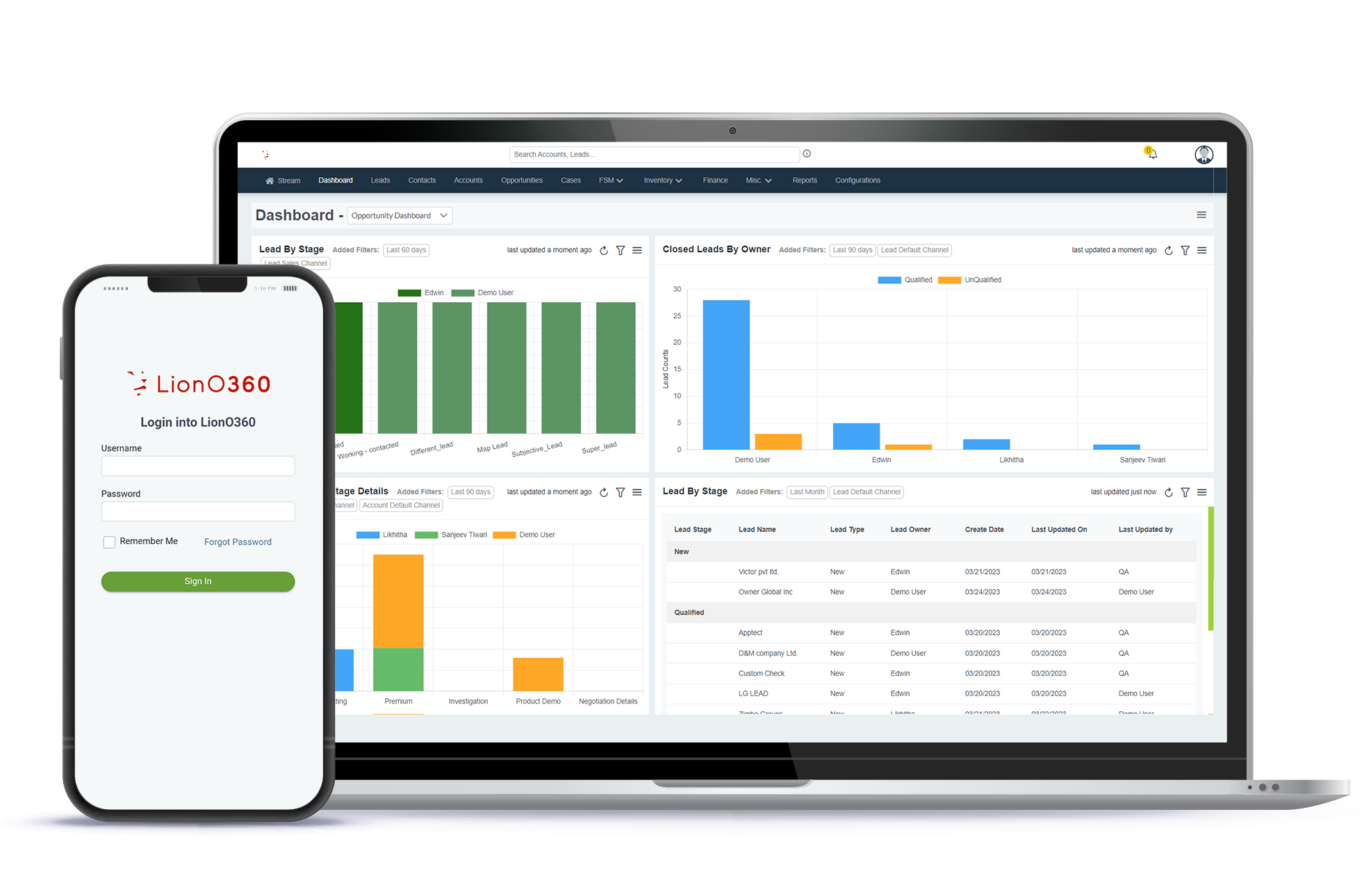
Unlock Your Free CRM Demo Today with LionO360

Are you ready to take your business operations to the next level? With LionOBytes India, you can streamline your sales, manage customer relationships, and boost productivity. Our free demo gives you an inside look at how we can transform your workflow and help you achieve measurable results.
LionO360 is a complete business management solution designed for growing organizations.
Why Choose LionO360?
- All-in-One Solution
- Real-Time Analytics
- Mobile Accessibility
- Automated Workflow
- Seamless Integration
- Dedicated Support
What You’ll Get in the Free Demo:
- A personalized walkthrough of key features.
- Insights into how LionO360 can solve your business challenges.
- Answer your questions from our CRM experts.
Don’t wait! Get your free CRM demo today and know why businesses trust LionO360 to drive growth and efficiency.
Frequently Asked Questions
Why is a CRM demo considered the most crucial step before making a purchase?
A CRM demo is crucial because it goes beyond marketing claims and lets you see the software in action. It's your opportunity to experience the interface, features, and workflow firsthand, ensuring the system aligns with your real-world business processes and user needs before you commit financially.
What specific benefits does a CRM demo offer?
You can ask live questions, see specific scenarios played out, and gauge the system's usability for your team. It helps uncover potential roadblocks or unexpected strengths that static information can't convey.
How can a CRM demo help my business avoid costly mistakes?
By test-driving the CRM, you can identify if it truly addresses your pain points and supports your goals. This prevents investing in a system that's either too complex, lacks essential features, or has a steep learning curve for your staff. A demo minimizes the risk of purchasing an unsuitable solution that could lead to wasted time, money, and frustration.
Can't I get a free trial with a demo, too?
Yes! With LionO360 CRM, you will get a live demo or a free trial. A demo, typically guided by an expert, can quickly highlight key features relevant to your business and answer specific questions on the spot. Also, provide an overview that might take you much longer to discover on your own during a trial.